IO Games to Play With Friends: Private Rooms & Invite Links
These IO games have a built-in way to get you and your friends into the same match, so you don’t have to hope you end up on the same server. We checked how each one works in November 2026: - Private rooms or custom matches: skribbl.io, smashkarts.io, bonk.io, krunker.io, shellshock.io, generals.io, nitroclash.io, blocktanks, xfps.io and mk48.io - Party or team invites by link or code: agar.io, diep.io, suroi.io, survev.io, hexanaut and AirMash Each game below shows the button to use. Game menus change from time to time; if a button has moved, look for “Private”, “Party”, “Team” or “Invite” in the menu.
#1
 More Info
skribbl.io
Private room + invite link: click “Create Private Room”, then hover over the Start button to see the invite link and send it to your friends.
Skribbl.io is an entertaining online multiplayer game that combines drawing skills with word-guessing. Players take turns drawing a given word while others attempt to guess it correctly. The game features a simple, clean interface that allows players' drawings to be the main focus. With customizable options like round duration, word choices, and language settings, Skribbl.io caters to various preferences. The game rewards quick guesses with higher points, adding an element of competition. Its accessibility across devices and lack of required downloads make it an ideal choice for casual gaming sessions with friends or strangers. Skribbl.io's charm lies in its ability to create fun, often hilarious moments as players interpret and misinterpret each other's artistic attempts.#2
 More Info
smashkarts.io
Private game: create a private match with your own mode, arena, weapons and match length for your friends to join. Private games give no XP.
Smash Karts is an adrenaline-fueled multiplayer kart battle arena game that combines the chaotic fun of kart racing with explosive combat mechanics. Players jump into colorful, customizable karts and battle it out in vibrant arenas where the goal is simple: be the last driver standing. Unlike traditional racing games, Smash Karts focuses on vehicular combat where you'll collect powerful weapons and power-ups scattered throughout the arena to eliminate your opponents. The game features intuitive controls that are easy to learn but difficult to master, allowing players to perform drifts, jumps, and strategic maneuvers while simultaneously aiming and firing weapons. With multiple game modes including free-for-all and team battles across diverse maps with environmental hazards, each match offers a unique experience. As you play, you'll earn XP to level up and unlock new kart skins, trails, and explosion effects to personalize your vehicle. Smash Karts delivers fast-paced, accessible gameplay that's perfect for quick sessions while still offering enough depth to keep players coming back for more high-octane vehicular mayhem.#3
 More Info
bonk.io
Private room: open “Custom Game” and create a room, optionally with a password; your friends find it in the room list.
Bonk.io is a fast-paced, physics-based multiplayer platform game that pits up to eight players against each other in chaotic battles. The objective is simple yet challenging: knock your opponents off the map or into hazardous objects while avoiding falling yourself. Use strategic positioning, momentum, and quick reflexes to outsmart rivals and claim victory as the last player standing. Bonk.io features intuitive controls where players use arrow keys for movement and the X key to increase their weight, adding depth to gameplay by balancing mobility and force. Customize your circular avatar with unique designs using the in-game skin editor, or craft your own maps with the level editor to share with the community. With millions of player-created maps and an active online community since 2016, Bonk.io offers endless variety and replayability. Whether battling friends or players from around the world, Bonk.io combines strategy, skill, and creativity into an addictive multiplayer experience. Constant updates ensure fresh content and improvements for years to come.#4
 More Info
agar.io
Party code + link: switch to Party mode, choose “Create Party” and share the party code or link; your friends use “Join Party”.
Agar.io is a massively multiplayer online action game that combines simplicity with strategic depth. Players control a circular cell in a Petri dish-like arena, aiming to grow larger by consuming smaller cells and avoiding bigger ones. The game features various modes such as Free-For-All, Teams, Battle Royale, and Party, catering to diverse gameplay styles. As your cell grows, it slows down, adding a layer of strategy to movement and survival. Viruses play a unique role in the game mechanics - they can split larger cells into smaller ones, creating vulnerabilities while offering protection for smaller cells. Players can also eject mass or split their cells to navigate tight spaces or attack opponents strategically. The dynamic leaderboard and constant competition keep the gameplay engaging and fresh. Agar.io’s accessibility and minimalist design make it easy to jump in from any device with internet connectivity, fostering a global community of players. Its social aspect shines through alliances, betrayals, and unpredictable interactions, making every match a thrilling experience. Whether you’re a casual gamer or a competitive strategist, Agar.io offers endless hours of entertainment and has inspired an entire genre of IO games.#5
 More Info
diep.io
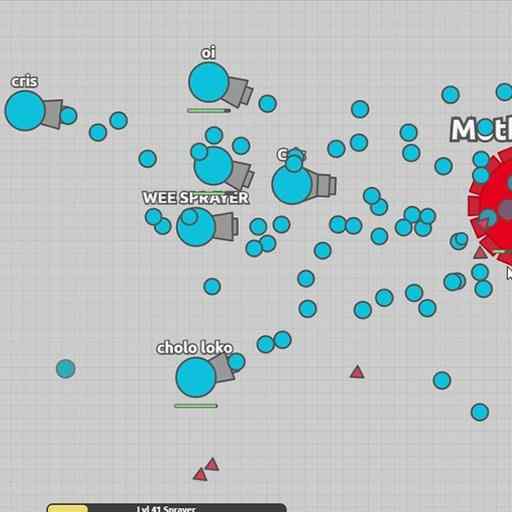
Party link: use “Copy Party Link” and send it to your friends to bring them into your lobby.
Diep.io is an engaging multiplayer tank shooter game that combines fast-paced action with strategic depth. Players control a tank and navigate through a 2D arena filled with geometric shapes and enemy tanks. The goal is to destroy shapes and opponents to earn experience points (XP), level up, and upgrade your tank with powerful abilities and weapons. The game features multiple modes including Free-For-All, Teams, Domination, Tag Mode, and Maze Mode, each offering unique challenges and objectives. As players progress, they can choose from various tank classes like Sniper, Machine Gunner, or Hybrid tanks to suit their playstyle. Strategic upgrades such as increased health regeneration or bullet penetration add layers of complexity to the gameplay. Diep.io’s minimalist graphics and intuitive controls make it accessible for players of all skill levels while its competitive mechanics keep the experience fresh and exciting. The dynamic leaderboard encourages players to aim for the top spot by outmaneuvering and outshooting rivals. Whether you’re a fan of tactical shooters or casual gaming sessions, Diep.io delivers thrilling battles that have captivated millions worldwide.#6
 More Info
krunker.io
Private server + invite link: “Host Game” sets up your own custom server, and the invite button copies a link to your game.
An advanced multiplayer fps-shooter game#7
 More Info
shellshock.io
Private game + code: create a private game, then share its link or game code with your friends.
Defeat your egg-enemies in this 3d io-shooter!#8
 More Info
suroi.io
Team link + code: click “Create Team” and share the team link or team code; “Lock Team” stops others from joining your team.
Suroi is an open source 2D battle royale inspired by the defunct surviv.io. In Suroi, you'll spawn on an island, with nothing to your name. Break crates and other obstacles to get loot. Don't stand around for long, because a zone of deadly gas is always closing in! Your objective is to kill all the other players and be the last left alive. Complete it, and you'll be rewarded with a juicy chicken dinner! There are a wide variety of weapons to choose from, as well as several game modes in regular rotation. Invite friends and play together in duos or squads. Suroi is developed entirely by volunteers and supported by donations. If you'd like to help, please join our Discord server and check out our GitHub page (links on the main menu)! Controls are remappable, and a full list can be found by clicking the "Rules & Tutorial" button. Stay survivin'!#9
 More Info
survev.io
Team link: click “Create Team” on the start screen and send your friends the invite link from the team menu.
Survev.io is a fast-paced, top-down 2D battle royale game that challenges you to outlast your opponents and be the last player standing. Inspired by popular games like PUBG and Fortnite, Survev.io delivers the thrill of survival in a simplified, browser-friendly format. With no respawns, every decision counts as you scavenge for weapons, ammo, and medical supplies across the map. Start with just a backpack and explore the terrain to gear up while avoiding the ever-shrinking red zone that deals increasing damage if you linger too long. Engage other players in tactical combat, eliminate them, and claim their loot to strengthen your chances of survival. The game also features unique mechanics like varying creative gameplay on the huge map, where you can adapt your playstyle to roles like Scout, Sniper, or Tank, depending on the gear you collect.#10
 More Info
hexanaut
Party code + link: click “Play with friends” to get a party code and a party link for your friends.
Hexanaut.io is an engaging multiplayer strategy game that combines elements of territory capture and snake-like gameplay. Players navigate a hexagonal grid, aiming to conquer as much territory as possible while avoiding enemy lines. The game features unique mechanics such as the ability to capture totems for additional bonuses, adding depth to the strategic gameplay. Players must balance aggressive expansion with defensive tactics, as leaving their territory makes them vulnerable to being cut off by opponents. The game's objective is to capture and maintain control of 20% of the map for two minutes to achieve victory. With its blend of simple controls and complex strategy, Hexanaut.io offers a challenging and addictive experience for fans of io games and strategy enthusiasts alike.#11
 More Info
generals.io
Custom game + party: use “Create Custom Game” for your own match, or invite friends to your party before you queue.
Generals.io is a fast-paced, multiplayer strategy game that challenges players to expand their territory and outmaneuver opponents. Starting with a single general tile, players must strategically allocate troops, capture cities for increased production, and conquer enemy lands. The game features various modes, including 1v1 duels and free-for-all matches. Key strategies involve efficient resource management, tactical troop movements, and careful expansion. Players must balance offense and defense, using techniques like "ballooning out" to secure territory and "lancing" to break through enemy lines. With its simple yet deep gameplay, Generals.io offers an engaging experience for both casual and competitive strategy enthusiasts.#12
 More Info
nitroclash.io
Party link: click “Create party” and share the link with your friends; tick “Private game” for a private match.
Use your nitro to bump other players and the ball to score goals in this rocket-league inspired soccer io-game.#13
 More Info
blocktanks
Custom match + link: “Host Game” creates a custom match with a link you can share to invite friends.
BlockTanks.io is an action-packed multiplayer tank battle game where players engage in fast-paced team matches or free-for-all combat. The game features multiple weapon options you can find on the map including grenades, rockets, shotguns, snipers, and rapid-fire miniguns that let you customize your combat strategy. Navigate the battlefield using intuitive controls to move, aim, and shoot as you compete against other players in various game modes. The game offers both official and community-created maps, allowing for diverse gameplay experiences. Players can also create and host their own matches with customizable team rules, making it perfect for playing with friends. BlockTanks.io includes a progression system where you can track your stats and total time played, while also personalizing your tank with stickers, arms, decals, and custom explosions. The developers are actively evolving the game with frequent updates, ensuring the game continues to stay fresh with new features and improvements.#14
 More Info
xfps.io
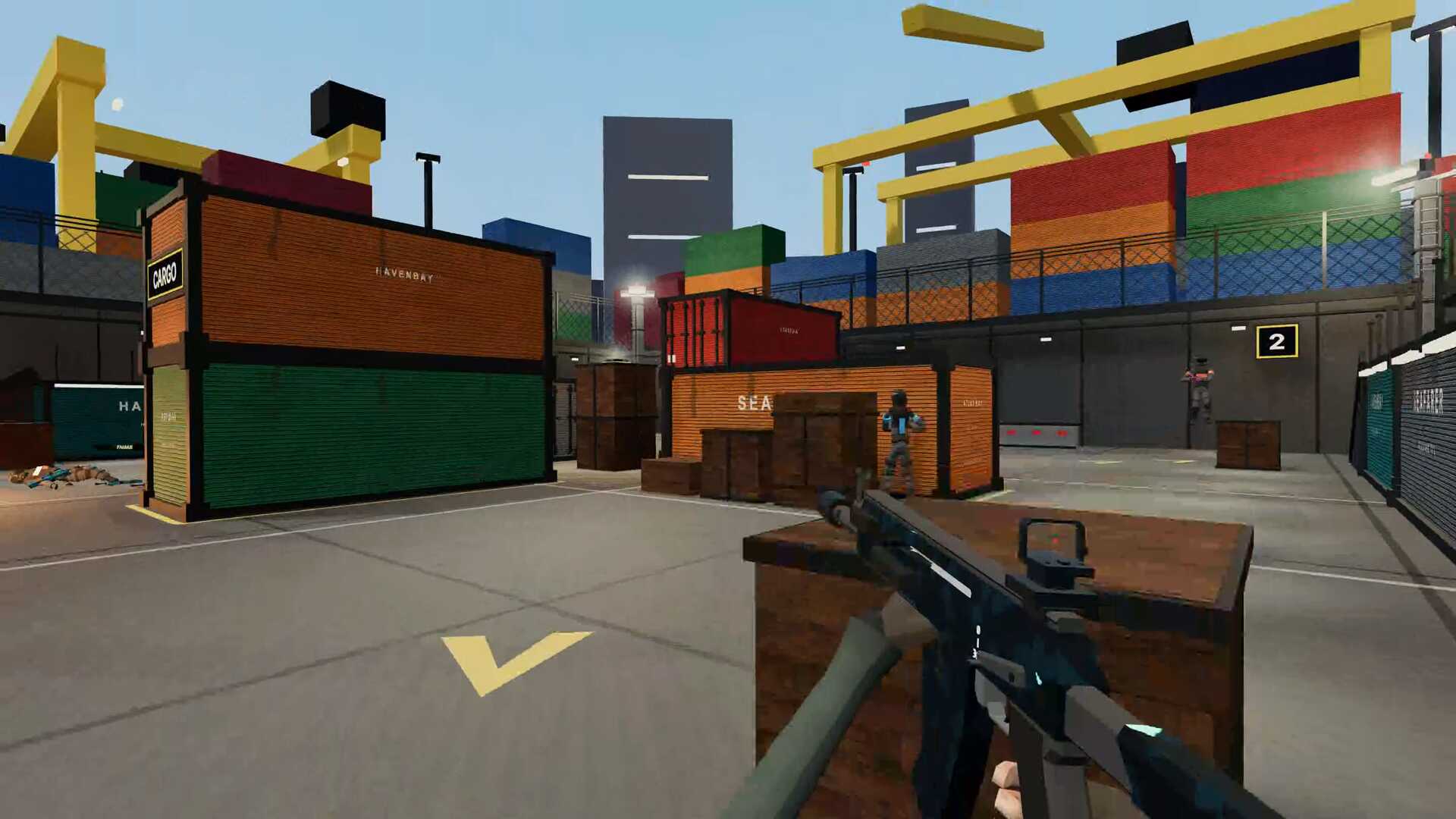
Private room + code: start a custom match and share the room code or invite link; invite links join the room directly. Custom matches award no XP or progression.
xFPS is a free browser FPS by Bink Online with online multiplayer, private rooms and bot practice. Play Free-for-all, Team Deathmatch, Search & Destroy and Cyber Attack, or try Zombies, Prop Hunt and first-person Football. Casual guest play needs no installation or account; ranked play and saved account progression require sign-in. Desktop with keyboard and mouse is recommended.#15
 More Info
mk48.io
Invite code: click “Play with friends” to get an invite code; your friends join you on the public server or on a party server of your own.
Mk48.io is a multiplayer ship combat game. It is free to play online in a web browser with no install required. Start with a small warship and defeat rival players or collect floating barrels to earn upgrades to increasingly larger battleships, submarines, and aircraft carriers. Avoid torpedos and incoming shells. Team and chat with other players.#16
 More Info
AirMash
Invite link: open “Invite Friends” in the menu and send the link; your friends join the same game as you.
AirMash is an action-packed multiplayer aerial combat game where players pilot high-speed fighter planes in intense dogfights. The game features simple yet engaging controls that allow you to dive right into the action, maneuvering your aircraft with precision while launching missiles at enemy players. Choose from different aircraft types, each with unique abilities and characteristics that cater to various playstyles - from agile fighters to powerful bombers. The game offers multiple modes including team battles and free-for-all combat across various maps. As you defeat opponents and complete objectives, you'll earn experience points to level up and unlock achievements. AirMash combines fast-paced gameplay with strategic elements, requiring quick reflexes and tactical thinking to outmaneuver your opponents. With its browser-based accessibility and no download required, you can jump into thrilling aerial battles instantly and compete against players from around the world in this addictive multiplayer experience.
Frequently asked questions
How do I play an IO game with friends?
Pick a game from this list and open it in your browser. One player hosts: depending on the game, they create a private room, start a party or copy the invite link from the game’s menu. Send the link or code to your friends, for example in a group chat. When they open the link or enter the code, you end up in the same room or match.
Can I make a private room so strangers can’t join?
Yes, in the games with private rooms or custom matches: you host your own room and decide who joins, usually by sharing a link or code, and in bonk.io with an optional password. Party and team invites put your group into the same match, but other players can be in it too.
Do my friends need to download anything?
No. These games run in the browser, so your friends only need the link or the game’s website. Whether an account is required differs by game; if a friend can’t join, check the game’s menu.
Posted on: Nov 17, 2026